 eReader Relay
RSS and Atom sources
Add public publication feeds and manage them across reading lists.
Sources follow public RSS or Atom feeds. They are best for publications that already expose a stable feed URL.
Add a source
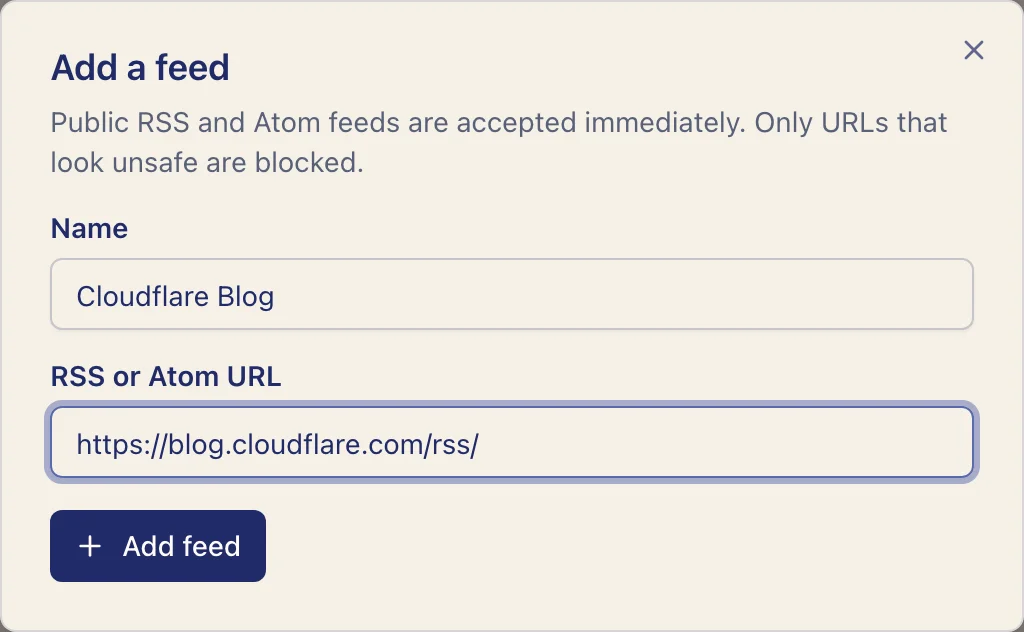
- Open Sources.
- Select Add feed.
- Enter a descriptive name.
- Paste the publication's public RSS or Atom URL.
- Save the source.
The URL must be publicly reachable and return a valid feed. Public feeds are normally accepted immediately unless the security checks identify a concrete network or abuse risk.
What becomes a chapter
When a feed entry contains complete article HTML, eReader Relay sanitizes and uses it. When it contains only a short summary, eReader Relay may fetch the linked public article and use that when it produces a better readable result.
The first edition for a source includes the latest existing entry. Later editions include entries newer than that reading list's cursor, with a bounded number of entries per run.
Use a source in several lists
The same source can belong to multiple reading lists. Each list keeps its own progress, schedule, and destinations.
Find and manage sources
Use search to narrow the table, select a column heading to sort, and use the page controls for longer lists. Select individual rows or the current page to reveal Remove selected. Review the confirmation before removing several sources.
Remove a source
Removing a source also removes it from every reading list. Existing EPUBs are not changed. A list with no remaining inputs cannot generate an edition. Add another feed, observed newsletter, or saved article before using Run now.
For rejected or unreadable feeds, see Feed troubleshooting.